What is Purchase Requisition(PR)
The purchase requisition is a document that an employee creates to request a purchase of some products when the stock reaches a low level.
Only products less than the alert quantity will be shown while creating the purchase requisition.
Enabling Purchase Requisition
Go to Settings -> Business Settings -> Purchase and enable the purchase requisition check box.
The purchase requisition tab will be shown in the sidebar.
Click on add button and provide the required details. Refer to the screenshot below.
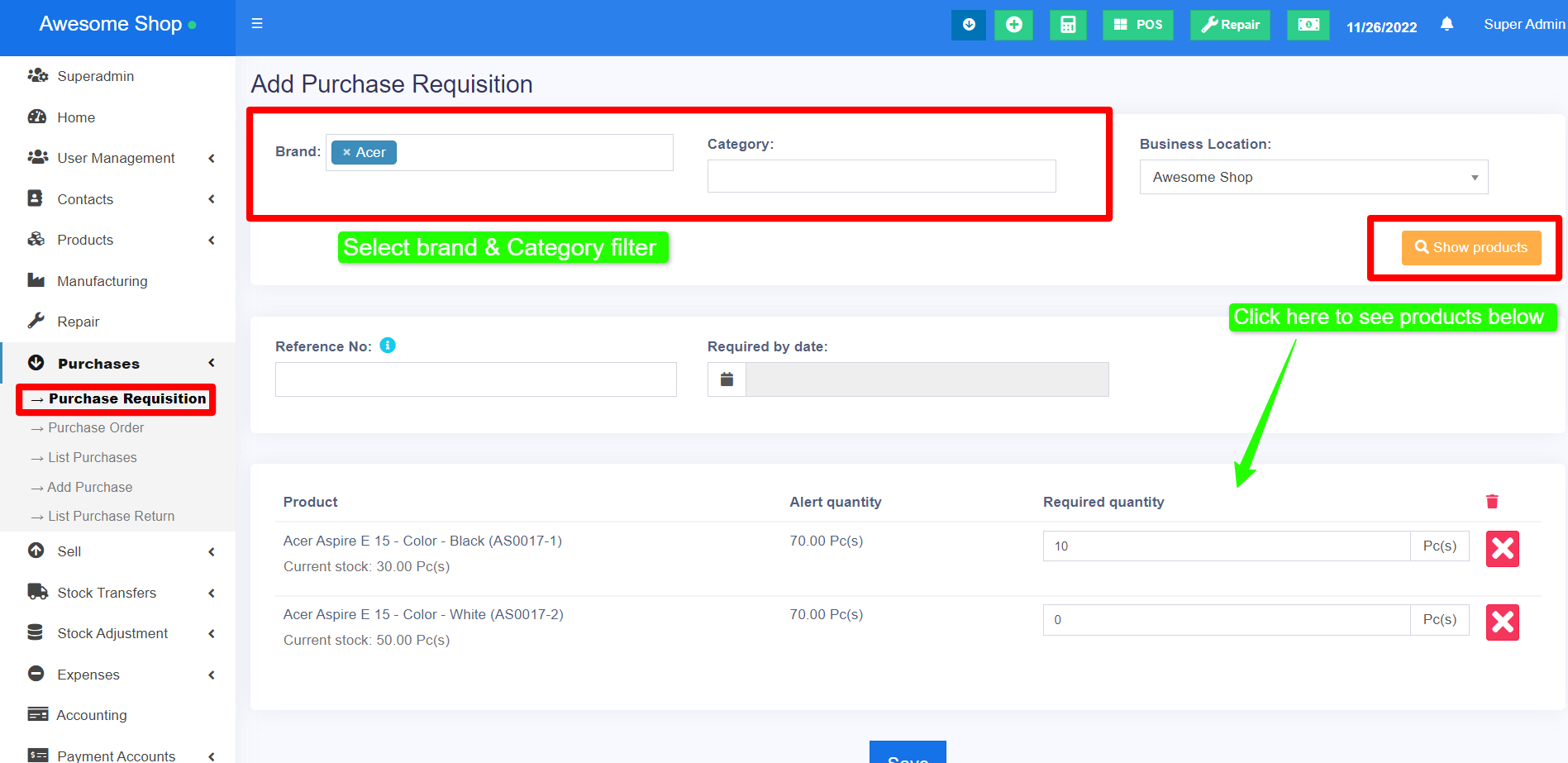
NOTE: At least one purchase entry must be recorded for a product in order for it to appear on the Purchase Requisition screen. If no purchase has been added for the product you are trying to include, it will not be displayed in the Purchase Requisition screen.
Converting Purchase Requisition to Purchase Order
Once PR is added it’s converted to Purchase Order.
To convert it into a purchase order, follow the steps below.
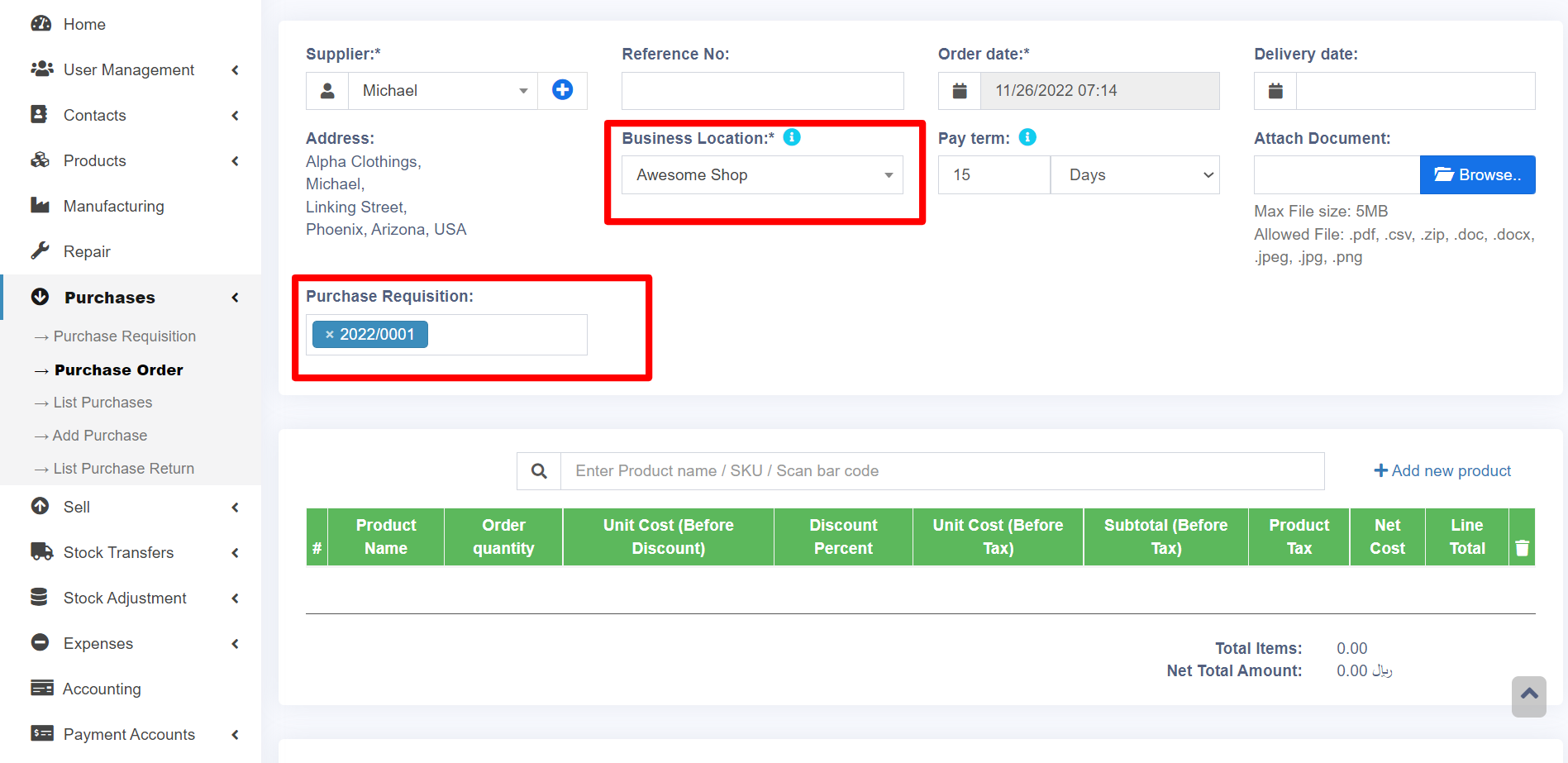
Go to Purchase order -> Add.
Here when you select the corresponding supplier the PR id will be shown.
Select the required PR id.
Partial Purchase
If the ordered quantity in the PR is reduced while converting it into a purchase order, then the status will automatically change from ordered to partial.