Product Warranty

Enabling Warranty:

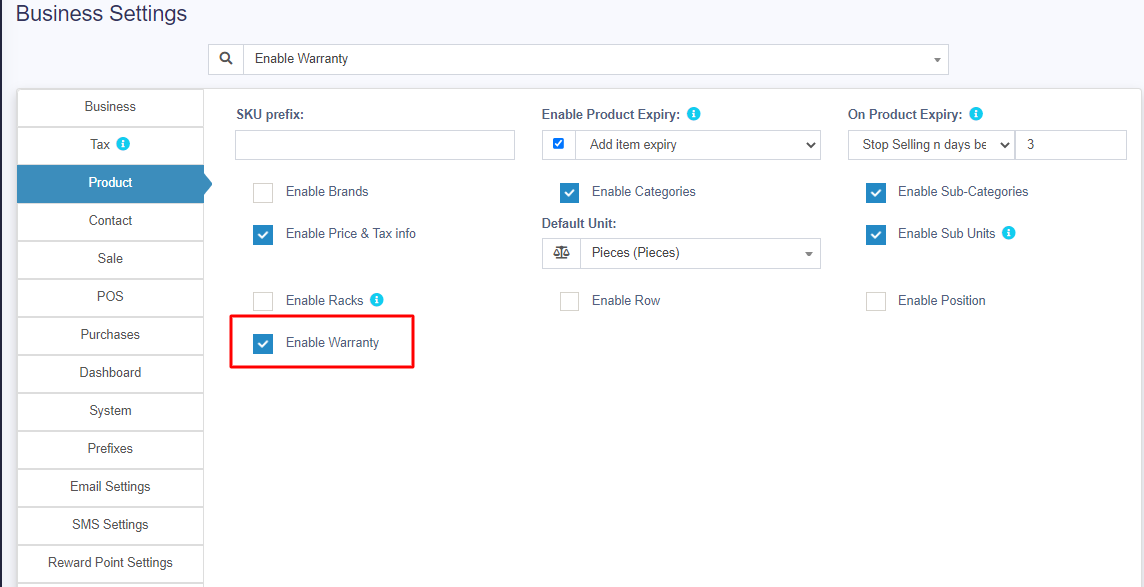
To enable warrany in products go to Settings -> Business Settings -> Products -> Enable Warranty

Using Warranty

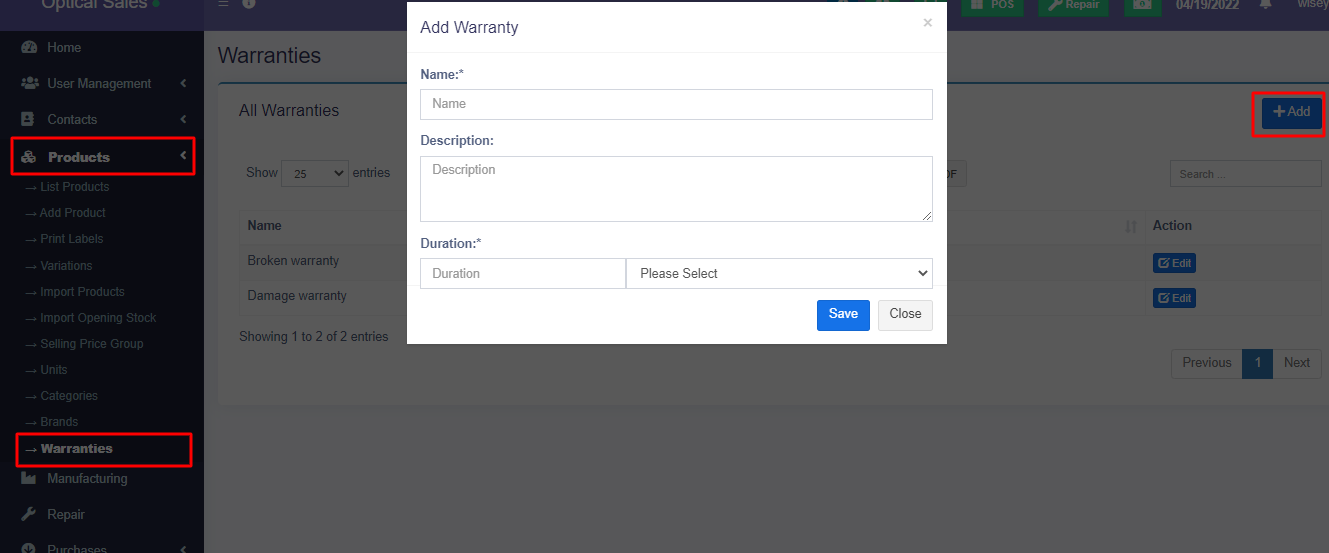
  1. Adding Warranty: Add warranty types by going to Products -> Warranty.
  2. Assigining warranty for products: Go to Add/Edit product and select the warranty that is applicable for the product.
  3. Sell with warranty: Any products which has warranty assigned when sold will use the transaction date as start of warranty. You can display warranty in receipts by enabling it from Invoice layout.
Did you find this article useful?

  • Products Management

    Adding Products To add a new product to the system, follow the steps below: Step 1: Navigate to Add ...
  • Import/Export Products

    Import Products: Steps: Go to Products -> Import Products Download the template file. Fill all t...
  • Delete Product (Bulk delete)

    Deleting Products Deleting of a product will remove the products from the database. NOTE: This...
  • Variations

    Variations can be added from the Products -> Variations menu. These variations are us...
  • Product Units

    Different Products have different units. Our software allows you to add different units for products...