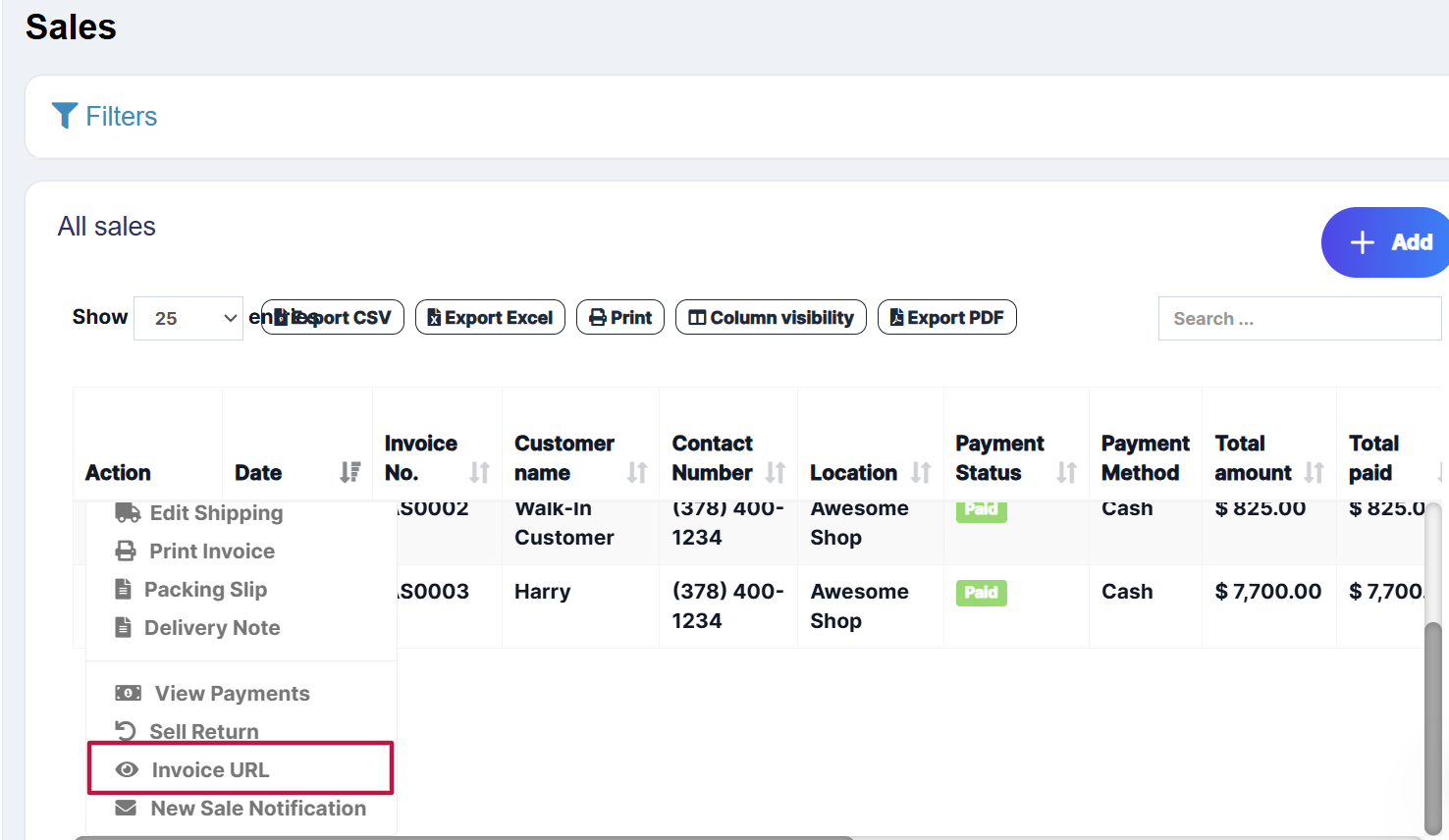
- With invoice external URL you can share the invoice to a customer via a link.
- With this link, they can see & print the invoice without they having to login into the system.
- The link can also be sent in Email & SMS notification. To send url in Email/SMS notification add it in notification template using the url tag.
Search Knowledge Base Articles
Invoice External URL
Did you find this article useful?
Related Articles
-
Selling (POS Screen), Credit Sales, Draft, Quotations & Suspended Sales.
Selling Products, Changing Product Price, Tax & Discount, Lot number & Expiry Go to ... -
Tender Change or Change Return
Suppose during POS the total payment amount by a customer is $250, but the customer pays $300 cash.... -
Using POS for Selling of Services
Our software can be used: Exclusively for Services or Exclusively for Product Selling (trading) Or ... -
Sales Order
What is a Sales Order? Sales Order is a document given by the supplier to the buyer against a Purch... -
Sales Return
There are 2 ways of adding sales return First way: Edit existing invoice for the sales by going to ...