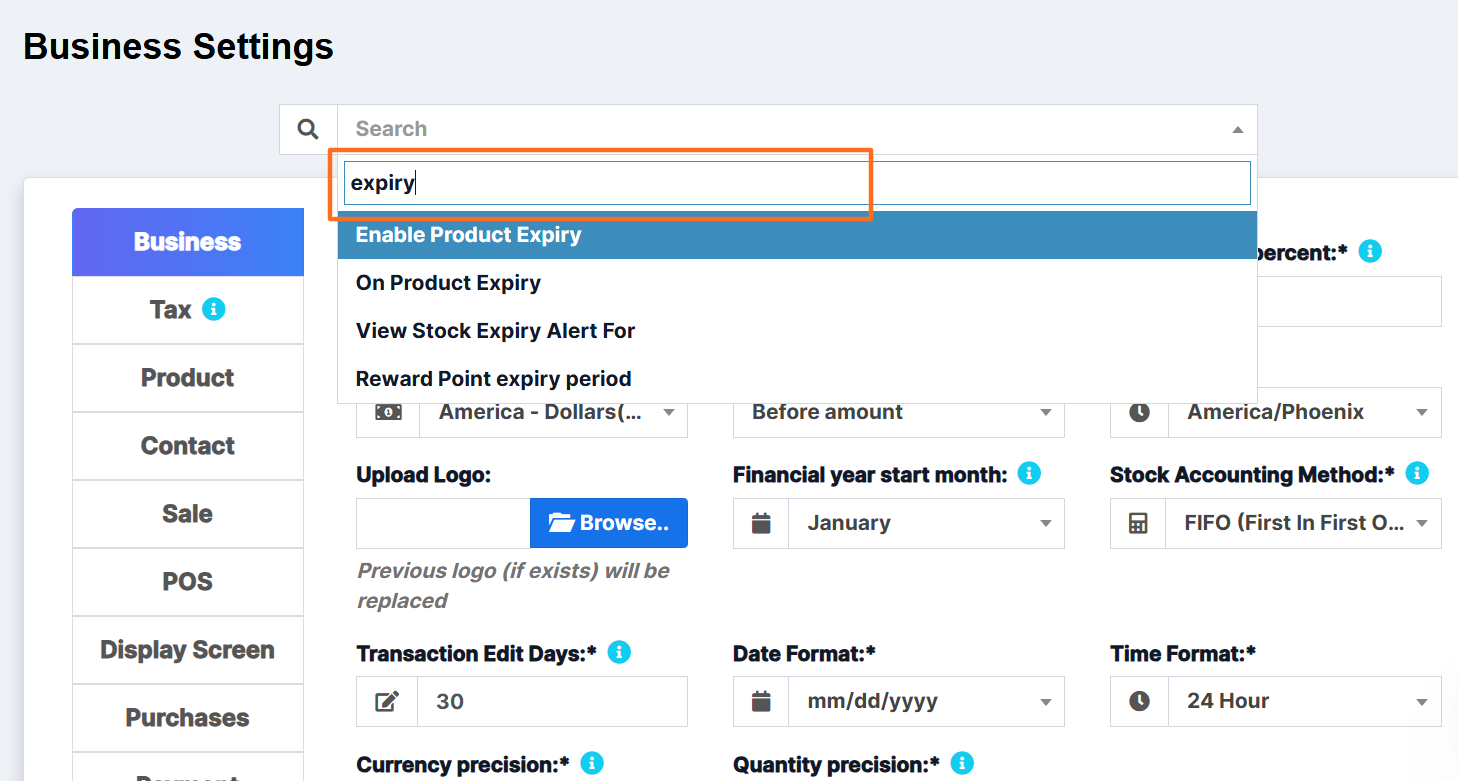
Settings is overwhelming. There are a lot of options in here. So in UltimatePOS we implemented as easy way to search for any option. Follow the screenshot below.
Search Knowledge Base Articles
How to Search in Settings?
Did you find this article useful?
Related Articles
-
Business Settings
Business Settings allows you to set some of the common business-related information. Here you can ch... -
Setting Invoice Scheme
With ultimatePOS you can configure the format for your invoice number. To configure go to Settings -... -
Adding a new Label or barcode settings
The Software comes with some commonly used barcode configurations for you our-of-box. If your barco... -
Changing the custom fields labels
To modify the labels of custom fields, go to Settings -> Business Settings -> Custom Labe... -
Changing Application/theme Colour
To change Application or Theme color follow the below steps: Go to Settings -> Business Settings...
